Heavy Equipment GPS Tracking Built for Tough Job Sites
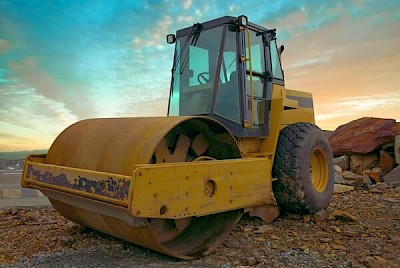 Track Location, Monitor Engine Hours, and Protect High-Value Assets from One Dashboard
Heavy equipment is the most expensive thing you own and one of the most important things to track. When a crew shows up and the excavator is gone, you lose the day. When its engine is idling on site for hours, you’re burning diesel, and engine hours you’ll pay for later.
By mounting industrial-grade GPS asset tracking directly onto your bulldozers, excavators, cranes and towable attachments, you can see where everything is right from your phone or computer. See live locations, exact movement, and engine status without making a dozen phone calls to field supervisors.
Why do contractors put GPS trackers on heavy equipment?
Adding an industrial GPS tracker to your heavy machinery gives you full control over your job site assets:
-
Stop wondering where machines are: Find out instantly which job site or staging yard has the crane, backhoe, or loader you need right now, eliminating radio calls and guesswork.
-
Catch theft and after-hours use: Heavy machinery is expensive and easy to target on dark, isolated sites. If a machine moves outside working hours, you’ll get an alert right away.
-
Service by real engine hours: Track actual engine hours to schedule maintenance based on how much a machine actually ran, allowing you to manage heavy workloads and prevent unexpected mechanical failures.
-
Bill jobs accurately: Track how long each machine spent on each site so you can bill equipment costs for the right job.
99% Theft Recovery Rate | U.S.-Based Support | IP67 Weatherproof Hardware
Engineered for every machine in your yard
Our tracking systems work seamlessly across all job sites and on all types of heavy construction, industrial, and site support equipment:
| Equipment Category | Supported Assets |
|---|---|
| Earthmoving & Excavation | Excavators, Bulldozers, Backhoes, Wheel Loaders, Motor Graders |
| Lifting & Access | Cranes, Boom Lifts, Telehandlers, Scissor Lifts, Forklifts |
| Paving & Compaction | Asphalt Pavers, Rollers, Soil Compactors, Trenchers |
| Unpowered Assets & Trailers | Towable Trailers, Light Towers, Portable Generators, Job Boxes |
How heavy equipment tracking works
-
Mount the tracker: Attach a heavy-duty, weather-resistant tracking device to your machine using industrial magnets, bolts, or direct wiring.
-
Connect to the network: The device automatically links to cellular and satellite networks, continuously transmitting location and engine data to the cloud.
-
Monitor from anywhere: Log into the desktop or mobile app to view your entire fleet on a live map, run runtime reports, and receive instant alerts.
What to look for in heavy equipment tracking hardware
Heavy machinery operates in punishing environments. Look for a tracking device built for industrial job sites:
-
Live location maps: See exact coordinates for all your heavy machinery across multiple job sites on a single screen.
-
Accurate engine hours: Track when engines turn on and off to automate maintenance schedules based on actual workload rather than estimated calendar days.
-
Rugged, weatherproof build: Hardware specifically engineered to withstand heavy rain, mud, constant mechanical vibration, and extreme temperatures.
-
Flexible power options: Choose between self-powered trackers with multi-year battery life for unpowered assets, or wired units that connect directly to machine power.
How do geofence alerts protect your equipment?
A geofence puts a virtual perimeter around your job site, yard, or staging area. By tracking your equipment's GPS signal in real time, the system alerts you the moment a machine enters or leaves the site.
How geofencing works for heavy machinery
Setting up boundaries takes just a few clicks in the app. Simply search for your job site on the map, draw a custom line around the footprint of the property, and save. From there, you choose what alerts you want to receive and who gets notified.
-
Instant after-hours theft alerts: Set up "theft geofences" around active job sites overnight or over the weekend. If an excavator, bulldozer, or loader crosses that line at 2:00 AM, the system sends an immediate alert to your phone so you can call the police while the machine is still close.
-
Proof of delivery & placement: Know the exact moment heavy equipment arrives on site or gets picked up by transport trailers. Get a time-stamped record backing up your equipment delivery schedules and customer billing.
-
Fewer interruption calls: Instead of calling field supervisors to ask "Is the crane on-site yet?" you can look at your dashboard or set a notification for when the machine enters the site geofence. Your team stays focused on the job without constant interruptions.
Best practices for equipment geofences
-
Trace the actual footprint: Use custom shape tools to trace the exact boundaries of your job site or yard. This prevents vehicles driving past on adjacent roads from triggering false alerts.
-
Add a small buffer: Avoid drawing fences too tight to the property line. Adding a 50- to 100-foot buffer prevents "boundary jitter" if a machine is operating right near the fence line.
-
Focus your alerts: Reserve instant push notifications for high-stakes boundaries (like your equipment yard after hours) and view routine arrivals and departures in your daily summary reports to avoid notification fatigue.
-
Accurate machine hours by location: Track exactly how many hours a specific piece of machinery spent inside a particular job site perimeter, making it simple to allocate equipment costs accurately across different projects or clients.
There's a lot of equipment that comes through here. Keeping track of them at all the different plants can be somewhat of a challenge if we don't have a way to track them. So Linxup has been perfect for that.
Ryan McClurg
Parts Manager, Kistner Concrete Products

Turn asset data into operational savings and safer job sites
Knowing where your equipment is does more than just stop theft — it brings order, safety, and predictability to busy work environments:
-
Spot operational bottlenecks: Real-time data reveals if heavy machinery is frequently sitting idle in specific staging zones or if gear is underutilized across your operations.
-
Plan multi-team coordination: When temporary crews, subcontractors, or third-party operators arrive on-site, accurate asset tracking makes it easy to assign machinery and verify deployment.
-
Build better routines & reduce risk: Unpredictable job environments invite mistakes. Tracking equipment movement and engine usage helps you structure workflows, rearrange high-traffic pathways, and set clear expectations.
Frequently asked questions about heavy equipment tracknig
Linxup equipment trackers are $15 per tracker per month. Hardware costs depend on the plan you choose:
-
No contract: $79 per tracker
-
2-year contract: $29 per tracker
-
3-year contract: $0, hardware included
There are no activation fees, and every tracker comes with a lifetime hardware guarantee.
For example, tracking 5 machines with no contract costs $395 up front, then $75 a month. On a 3-year contract, you pay nothing up front, just $75 a month.
Many newer machines come with built-in tracking, but each brand uses its own app. If you run more than one brand, or older machines without it, a separate tracker puts everything on one map with your trucks.
You draw a digital boundary around your yard or active job site on a map using your phone or computer. If a piece of heavy equipment leaves that zone when it shouldn't, the system sends an instant text or email alert to your phone.
Yes. Linxup lets you view your service vans, pickup trucks, trailers, and heavy iron all on a single map and dashboard for complete operational visibility.
Yes. Quality tracking devices use cellular and satellite networks to transmit location data, keeping tabs on your heavy gear even on remote sites where cell service is weak.
Most trackers attach easily using heavy-duty magnets, bolts, or industrial-strength brackets designed for heavy vibration. Some units run on internal batteries that last for years, while others wire directly into the machine's electrical system.
Still have questions?
We're here to help you!