LINXCAM FLEET DASH CAMS
Protect Your Drivers and Your Business With linxCam
Most accidents are a result of a bad habit that's gone unnoticed or overlooked. linxCam uses AI to catch phone use, missing seatbelts, and tailgating so you can address the issue before it becomes a problem. If something does happen, the footage is saved in your Linxup app.
✓ Catch risky habits before they cause an accident
✓ Document what happened, not just where
✓ Fight false and inflated claims with footage
✓ Give real context to coaching for honest conversations
When it comes to insurance, your video and coaching records show carriers a real safety culture that goes beyond your past claims. They show your drivers improving over time, which can help you avoid rate increases at renewal.
What changes in the Linxup you already use
|
Where you look |
What linxCam adds |
|---|---|
|
Safety Report Card |
Phone use, seatbelt, and tailgating alerts next to your GPS alerts |
|
Driver Coaching |
Video of each event to coach with, plus phone use and tailgating in the Safety Score |
|
Map |
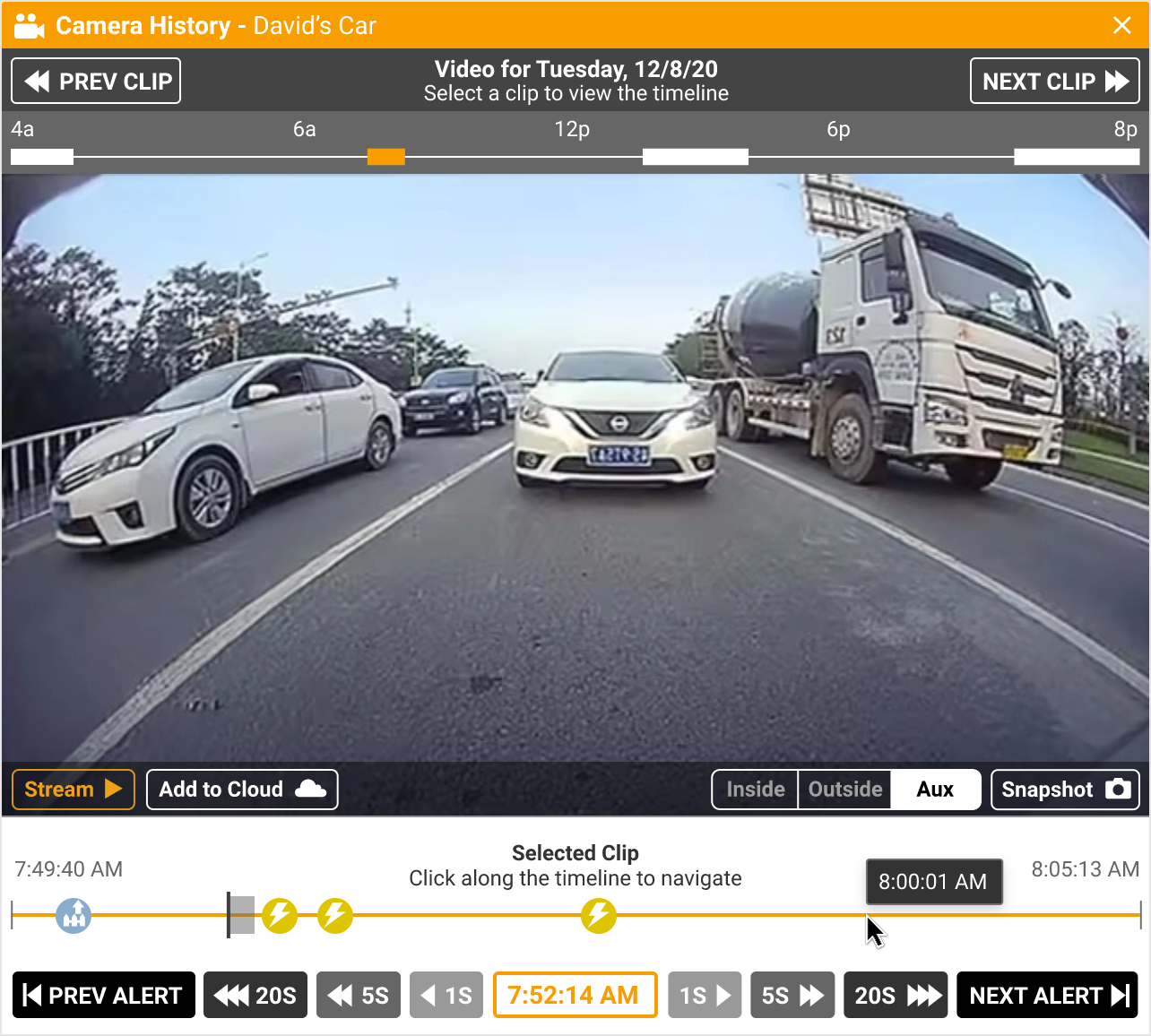
Road and driver video from the moment of an alert |
Trusted by household names, local, and regional businesses nationwide.






Get more from the Linxup app you already use
Road-facing and driver-facing cameras, with infrared for night driving
Customizable in-cab alerts for phone use, no seatbelt, tailgating, and a covered or turned camera
Alert clips saved to the cloud for 365 days, tied to your GPS location and speed
Coach based on more alerts, like phone use and tailgating, which can count toward each driver's Safety Score and Leaderboard rank
Add linxCam Rear Vision to cover more angles
linxCam Rear Vision Add a rugged rear camera for backing, trailers, and loading.
- Rear-end crash coverage
- Proof of service
- Eyes on the trailer and load
Why fleets add linxCam
Fleet dash cams help you keep your drivers safe on the road and protect them against false claims.
4 out of 5 users spot and correct risky driving right away, without having to dig through data.
4/5
(Linxup Fleet Safety Survey, 2026)
88% of fleet managers say dash cams helped reduce or defend against accident claims
88%
(Linxup Fleet Safety Survey, 2026)
80% drop in phone use within a month of turning on in-cab alerts.
80%
(Beiter's, Linxup customer)
"We told them the cameras were for their protection, not for spying. If they're in an accident that's not their fault, it backs them up."
Matt Scheff
Father and Son Pest and Lawn

FAQ
What will it add to my bill? $40 per camera per month, plus the camera hardware for your plan: $0 on a 3-year contract, $199 on a 2-year contract, or $399 with no contract. That covers AI alerts, the cellular data for video, and 365 days of cloud storage for saved clips.
How long does it take to install? Most fleets install a linxCam in under 10 minutes per truck. Mount it on the windshield, tuck the cable, plug it in next to your tracker, and pair it in the portal. Our U.S.-based onboarding team can walk you through it and your alert settings.
Will my drivers push back? Some may at first. Be upfront about what it records, who sees it, and why. Most drivers come around the first time video clears one of them after an accident that wasn't their fault.
Do I have to watch footage all day? No. AI alerts flag the moments that need a look, and those clips stay in your account for a year. You can adjust alert volume, how often alerts repeat, and tailgating sensitivity for one truck or the whole fleet.
Where will I see the video? In the same Linxup portal and mobile app. Clips show up on the map, in the Safety Report Card, and in Driver Coaching, next to the GPS data you already use.