Dispatch Jobs & Track Time
Empower Your Business with Dispatching and Time Tracking from Linxup.
LinxupPlus Adds a Suite of Tools to the Core Linxup System
Talk to your Linxup sales rep today about adding LinxupPlus and improve your field productivity by:
- Managing and dispatching jobs using our dedicated mobile app.
- Messaging individual drivers or broadcasting messages to your entire fleet.
- Accurately tracking and reporting actual time worked.
Keep Drivers Engaged
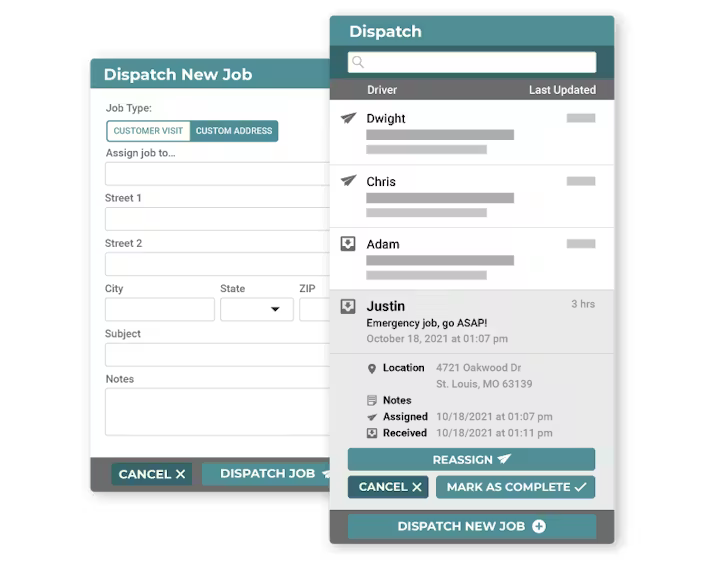
Significantly simplify the dispatch process, enabling you to save time and answer more service calls every day.
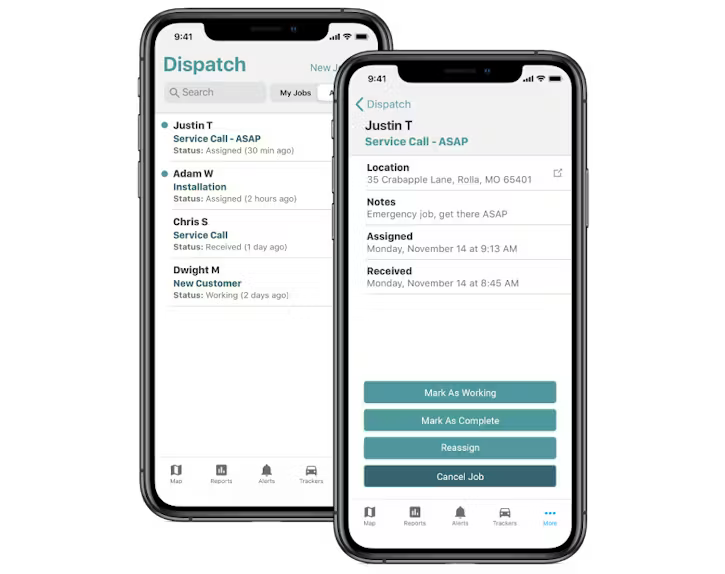
- Dispatch jobs from the office or on the road using our dedicated mobile app.
- Provide turn-by-turn directions.
- Keep a history of all jobs assigned in one place.
- Monitor and track job progress.
- Get real-time confirmation that jobs are complete.
Time Worked = Time Paid
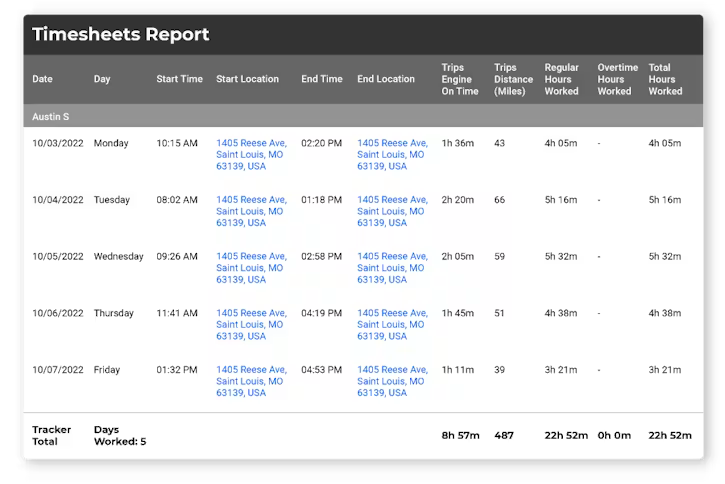
LinxupPlus’s detailed time reporting capabilities give you the ability to tie GPS tracking data to your time cards and payroll. Using LinxupPlus’s built-in time reporting, you can:
- Supplement or replace your existing timecard system.
- Monitor and track job progress and receive real-time confirmation when jobs are completed.
- Report on teams and generate individual time cards.
- Pay workers for actual time spent on the job.
Driver-ID and Reporting
Driver’s changing vehicles frequently? No problem.
- Track who’s driving each vehicle in real-time.
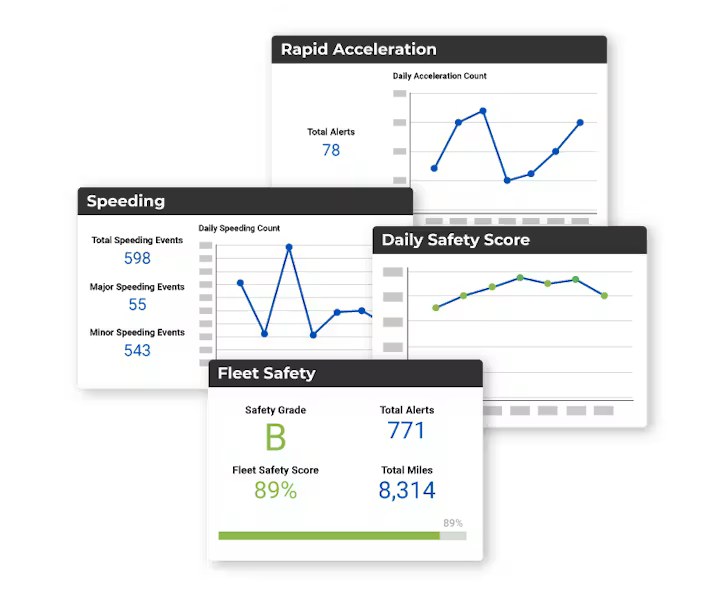
- Generate reports and gain driver-level insights.
- Spot problem drivers and coach them to improved performance.
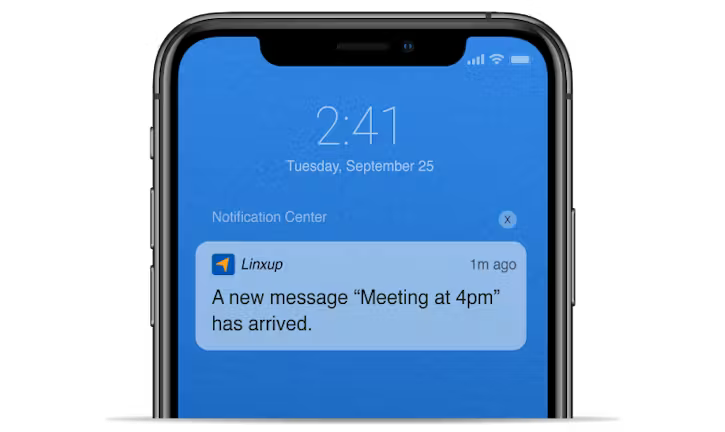
Integrated Driver Messaging – Stop Searching
Send real-time messages to your workers’ mobile app and reduce calls and search for data in your time cards and payroll. Using built-in time reporting, you can:
- Message individual workers or groups of workers.
- Send broadcast messages to everyone on your team.
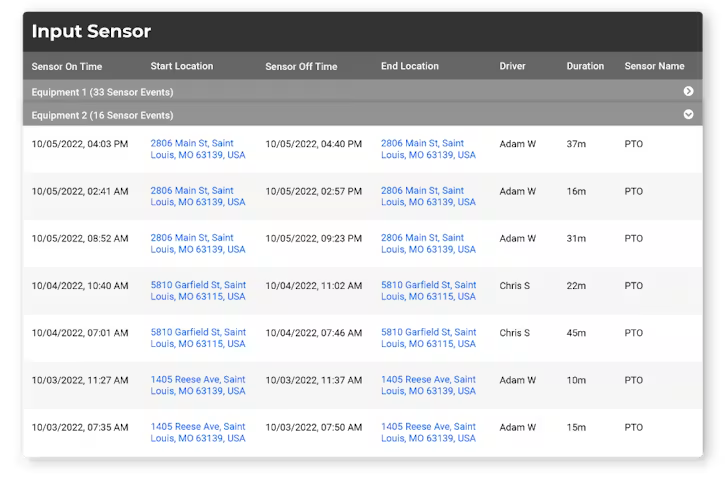
Sensor/PTO Usage Tracking
Want to track usage of key vehicle components such as Power Take-Off (PTO). We’ve got you covered.
- Monitor usage for PTO, tow arms, lift gates, and more.