Locate all your vehicles and assets on a live, intuitive map.
Live Map
Quickly and easily locate any vehicle or asset while it’s on the road or at a job site — even on the go with our powerful mobile app!
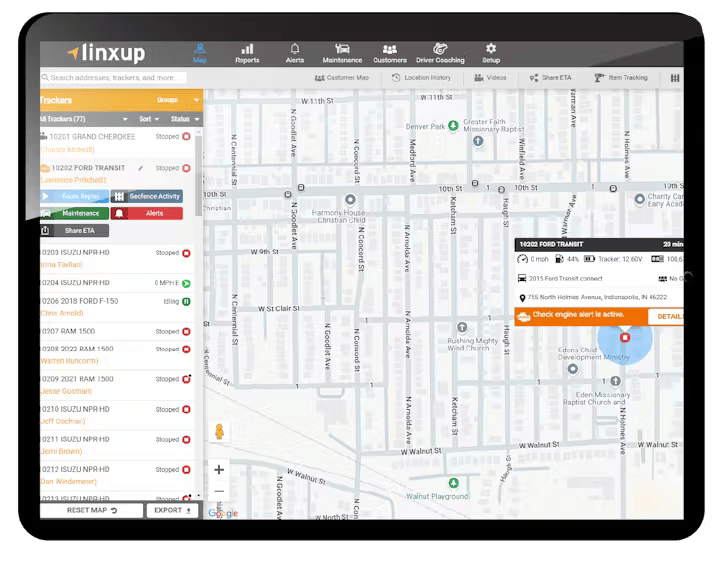
Track Your Vehicles, Track Your Drivers
Busy business owners and fleet managers like you lack visibility into vehicles and assets that are out in the field. You don't have time to dig through data or call around just to get answers to basic questions like:
- Who’s using it?
- Are there any issues?
Benefits of Our Live GPS Map
Linxup’s Live Map provides full transparency of your vehicles and equipment in real time.
- Quickly see the location of your vehicles/assets/tools and who’s operating them.
- Access other critical information such as geofence activity, route replay, and scheduled maintenance details right from the map—fewer clicks save you time!
- Quick and simple navigation of all vehicles and equipment.
- Jump down to Street Level view to see the area from a closer perspective.
- 24X7 access via the mobile app while on the go.
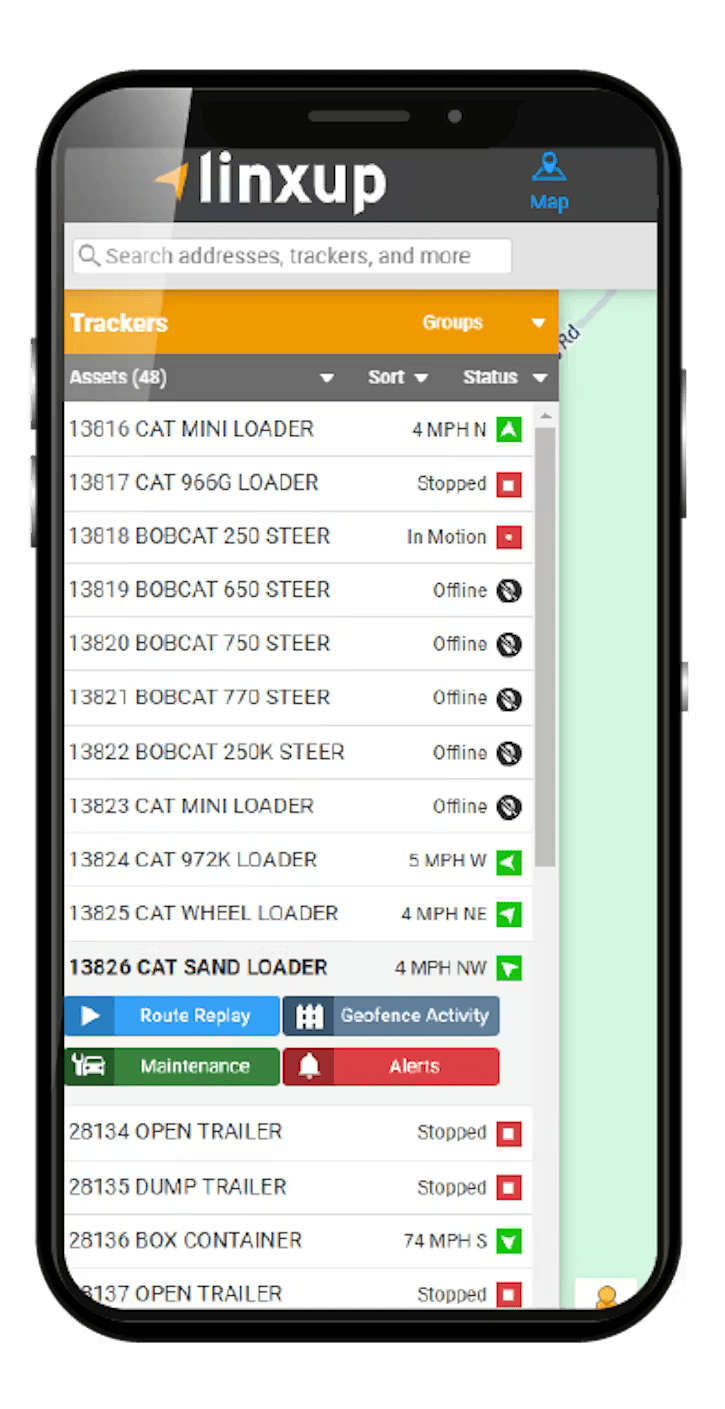
Advanced Map Functionality
In addition to being able to see all of your resources live, 24X7, you can also take advantage of these advanced features.
- If you have Linxup Dash Cameras (LINK) installed in your vehicles, Videos for each tracked vehicle will be accessible.
- Share ETA feature to send a link to external customers with the route of your driver/vehicle so customers know when their service provider will arrive.
- The geofence activity option lets you know how long a vehicle or piece of equipment was inside a geofence, not just when they enter or exit.
- Receive alerts if the check engine light is triggered. The vehicle information pop-up will display a button to find out more information about the alert.
- Each vehicle on the map displays idle and stop times. The vehicle information pop-up shows the last time the tracker reported data.
- Get a Google Street View of the current location, and even make notes right in the window.