GPS Fleet Tracking
That Helps You Sleep at Night
Linxup gives you everything you need to keep your fleet on track,
your drivers protected, your customers happy, and your bottom line strong.
"I was kind of shocked that I got this level of attention. Normally, you dial a 1-800 number, and you sit in a queue, and you wait for tech support, and you talk to someone in wherever, and you don't get a live person. Brandon is excellent. He's always been super attentive and open to my suggestions."
Mark Harrington
Owner, The Junkluggers of Gainesville

Fleet Tracking from Linxup
Linxup fleet tracking gives business owners real-time location updates on every vehicle in their fleet, with driver behavior monitoring, automated alerts, and a mobile app that requires no technical setup. Linxup is designed from the ground up for small and mid-sized businesses. Not a budget tracker or a stripped down enterprise solution.
- See driver locations in real time—no guessing whether you're on track.
- Set geofences to flag unauthorized stops and measure customer on-site time.
- Control vehicle costs with maintenance reminders and fuel usage reporting.
- Catch risky driving—harsh braking, rapid acceleration, and speeding.
- Recover stolen vehicles fast with activity alerts.
Advanced Features Built for the Way You Work
We believe that every business, no matter what size, deserves powerful software and hardware to run their business. That's why Linxup focuses on delivering the critical tools larger companies use to manage their fleet operations, but is built for fleets of 5-50 vehicles.
Location Reporting
Near real-time location reporting for visibility and productivity. No more calls to drivers to understand where they’re at or guessing how well your plan for the day is being executed.
Customer Geofencing
Geofencing for added context: get alerted when drivers enter unauthorized areas, understand how often they’re coming back to company locations, and measure on-site time with customers.
Maintenance Tracker
Keep track of all of your maintenance activity and recurring events in one place. Add reminders for all maintenance events and add notes and track history on all vehicles, equipment, warranties, certifications, licenses, etc.
Driver Monitoring
Monitor driving behavior for harsh braking, rapid acceleration, high speed, speed limit violations, and avoid side jobs with authorized hours settings.
Proof of Service
Visit Summary, Visit Notes, and Visit Photos — give your techs a fast way to document every job with photos and notes from mobile or desktop, so you can resolve "did you show up?" disputes, speed up invoice approval, and track customer visit frequency and duration.
Tracking Alerts
We give you the power to set up tracking alerts to best match your needs. Need instant alerts on key activity? No problem. Prefer periodic summaries on vehicle use and location history? We've got you covered.
Case Study
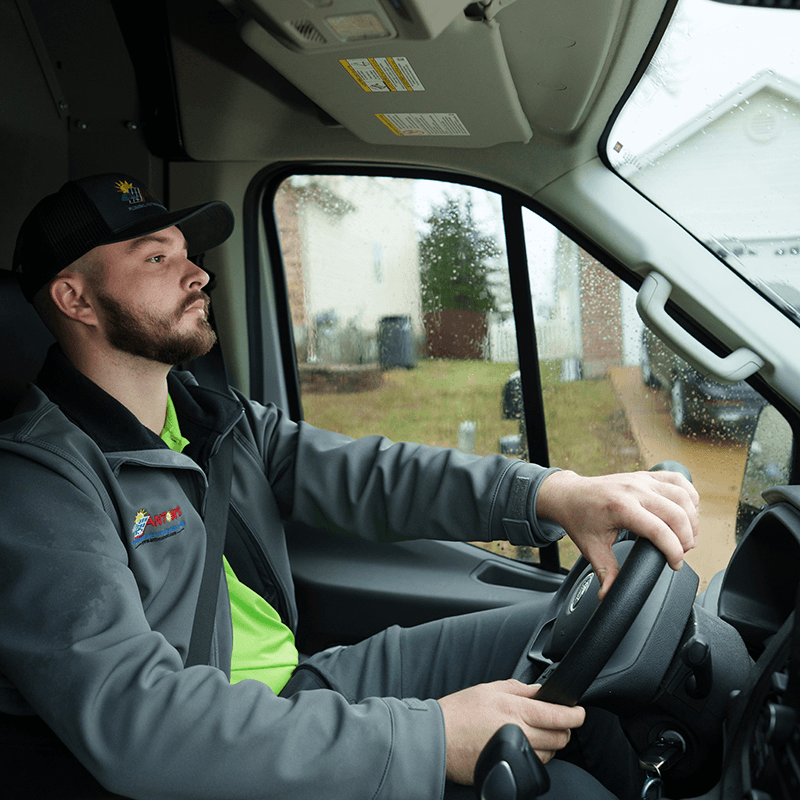
How Linxup Helped a 30+ Truck Fleet Cut Risk and Prove Every Job
Father and Son Pest & Lawn Solutions replaced outdated tracking with Linxup to manage a growing fleet of 30+ vehicles. Real-time GPS and dashcams improved driver behavior, reduced risk, and provided proof of service to resolve customer disputes.
READ STORY >Fleet Intelligence
Gain Complete Fleet Visibility
Fleet operators face various management challenges, from compliance concerns to operational efficiency. Take the guesswork out of fleet management by gaining complete transparency into all your vehicles with GPS fleet tracking. Here are some areas GPS fleet tracking positively impacts: Routing: GPS fleet tracking enables route optimization in real time. The live visibility enables quick decision-making, better oversight, and efficient routing, which reduces fuel costs while improving operational efficiency.
-
Live Fleet Map
Busy business owners and fleet managers like you lack visibility into your vehicles and equipment out in the field. You don't have time to dig through data or call around just to get answers to basic questions. With Linxup, it's all there in one place. -
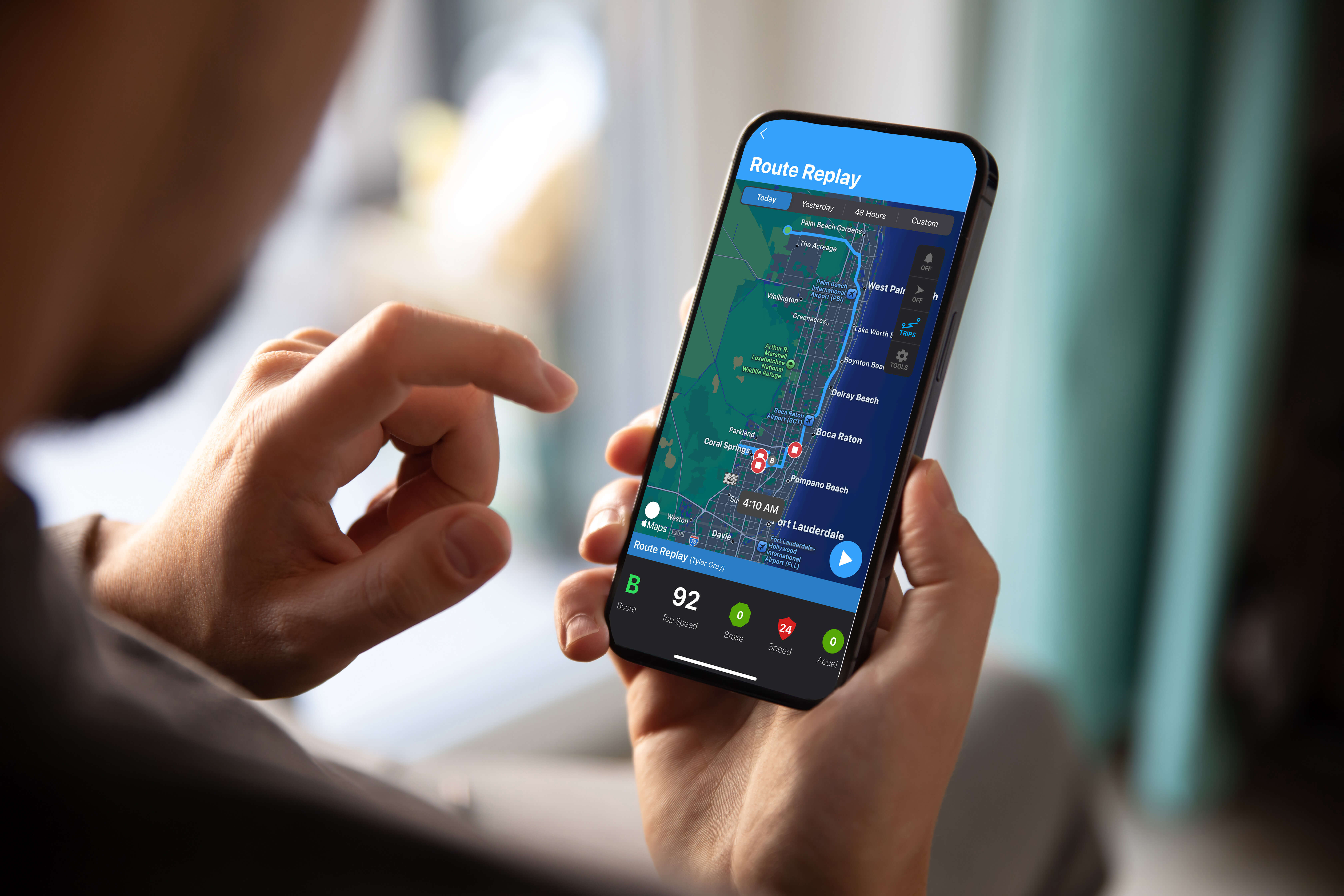
Route Replay
Business owners and fleet managers need to see exactly what happened throughout the day when their teams are out in the field. They may get complaints about reckless driving or want to verify that a driver took a specific route. -
Reporting & Analytics
Linxup's intuitive reporting suite gives you the details you need to manage your fleet and drivers for better performance. You can even ask our AI Bot, Linx, to give you answers and recommendations on the fly.
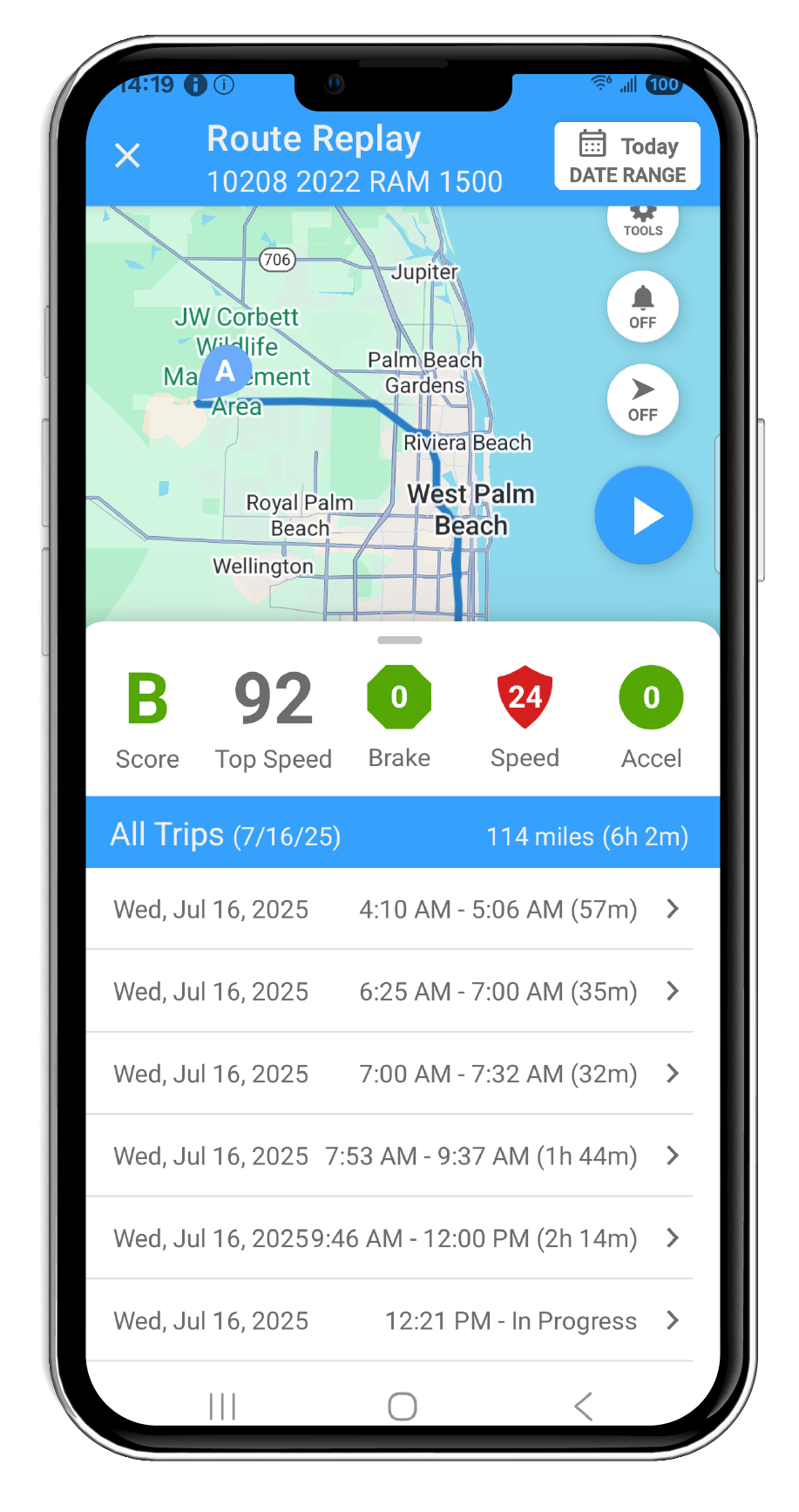
The Best Mobile Tracking App in the Business
Run your operations from anywhere with instant access to:
- Live Map — Always know where your team is.
- Route Replay — Reduce wasted miles and confirm vehicle activity.
- Geofences — Automatically track when vehicles enter or leave job sites or off-limits areas.
- Maintenance Tracking — Stay on schedule and prevent costly breakdowns.
- Safety, Activity, & Usage insights — Quickly spot trends, like cell phone use or excessive idling, to improve safety and efficiency across your fleet.
- Real-time Alerts — Get instant notifications for speeding, early departures, equipment movement, and more.
- Driver Video, Coaching, & Live Streaming — Catch risky behavior early and coach before it becomes a claim.
- Tool Tracking — Prevent tool loss, minimize unnecessary replacements, and ensure your team is always prepared.
- Customer Address Book, Job Summaries, & ETAs — Keep job info organized and deliver clearer, more reliable customer communication.
Product Specifications (Plug-In GPS Vehicle Tracker)
| CASE MATERIAL: | PC 2 |
|---|---|
| DIMENSIONS: | 2.4" x 2" x 1.1" |
| WEIGHT: | < 2oz. |
| OBD CONNECTOR: | J1962 |
| ANTENNA: | GPS Integrated |
| NETWORK: | 4G Cellular |
| OPERATING TEMP: | -22°F to +158°F |
| ACCURACY: | ±2.5m CEP |
| OFFERS: | Volume discount and contract length discount. |
We Love Small Businesses
We work with franchises and independently owned field service companies across all industries.





Frequently Asked Questions about Fleet Tracking
We answer some of the most commonly asked questions about fleet tracking in general and Linxup's own products.
How do I choose the best GPS tracker for my needs?
The best GPS tracking device depends on what you're tracking and what business problems you're trying to solve.
If you manage company vehicles, look for a solution that provides real-time GPS tracking, driver behavior monitoring, maintenance alerts, and reporting to help improve productivity, safety, and operating costs.
If you're tracking trailers, heavy equipment, or other valuable assets, prioritize long battery life, durable weather-resistant hardware, and flexible installation options.
Beyond the hardware itself, evaluate the complete tracking platform. A business-grade GPS solution should include:
- Real-time location tracking
- Mobile and desktop access
- Custom alerts and geofences
- Maintenance scheduling
- Driver safety insights
- Easy reporting
- Responsive U.S.-based customer support
- Scalable pricing that grows with your business
For many businesses, the software and support ultimately deliver more value than the tracking device alone.
Linxup offers a range of GPS tracking devices for vehicles, trailers, and equipment, backed by an easy-to-use fleet management platform that helps businesses reduce costs, improve visibility, and make better operational decisions. Whether you manage five vehicles or several hundred assets, Linxup provides solutions that scale as your business grows.
The answer is somewhat up to you. The Linxup device is pretty discreet and sits under the dashboard, but it does have a small LED light. If you don’t tell your drivers where the device is, they may still notice this light. Also, once you start to discuss tracking with your drivers, they are going to realize that something within the vehicle is providing the information.
We typically advise companies to inform their drivers that if a device stops tracking, they will be aware due to the lack of tracking information.
Both the plugin and wired devices are 2.0" x 1.8" x 1".
GPS satellites send radio signals to a connected GPS device within a vehicle or asset, allowing it to calculate its precise location.
The GPS device within the vehicle or asset sends those location coordinates and other data like movement and speed to a cellular tower when it's within range.
Linxup servers receive the data, analyze it, and gain insights like location history and alerts. We send the data, including location history, alerts, and driver behavior, to our customer portal, where you can access it.
Our OBD plug-in GPS tracking device works on all types of vehicles, including light and medium-duty trucks manufactured after 1996. Please note that the device is not compatible with electric vehicles. The Linxup wired device works on nearly every vehicle, and for heavy-duty trucks, we also have a JBUS device.
To install the Linxup plug-in tracking device, simply insert it into the vehicle's OBDII port, which is typically located under the dashboard near the steering wheel.
A typical design would be a small, black, box-shaped plastic device, sometimes with cables or wires extending from the device itself.
GPS vehicle tracker devices are installed under the driver-side dashboard of the vehicle. Depending on the device and vehicle, they can be installed by plugging them into an OBDII port, a 6- or 9-pin JBus port, or a wired connection that can be performed by a knowledgeable technician.
Power for the vehicle tracker device is supplied from your vehicle through the OBDII port or wires, depending on whether you have the plug-in or wired device.
On most vehicles, the tracker will not drain your battery. The trackers use very little battery power from the vehicle. Some hybrid vehicles have reported issues when left parked for extended periods of time.
Still have questions?
We're here to help you!