

Quick Breakdown
- Geofencing lets you draw a virtual boundary around any job site, yard, or customer property and get an automatic alert the moment a vehicle crosses it.
- It eliminates manual time tracking, cuts down on status-check calls, and gives you proof of service if a customer ever disputes a visit.
- Setup takes minutes: draw your boundary, set your trigger, and let the data work for you.
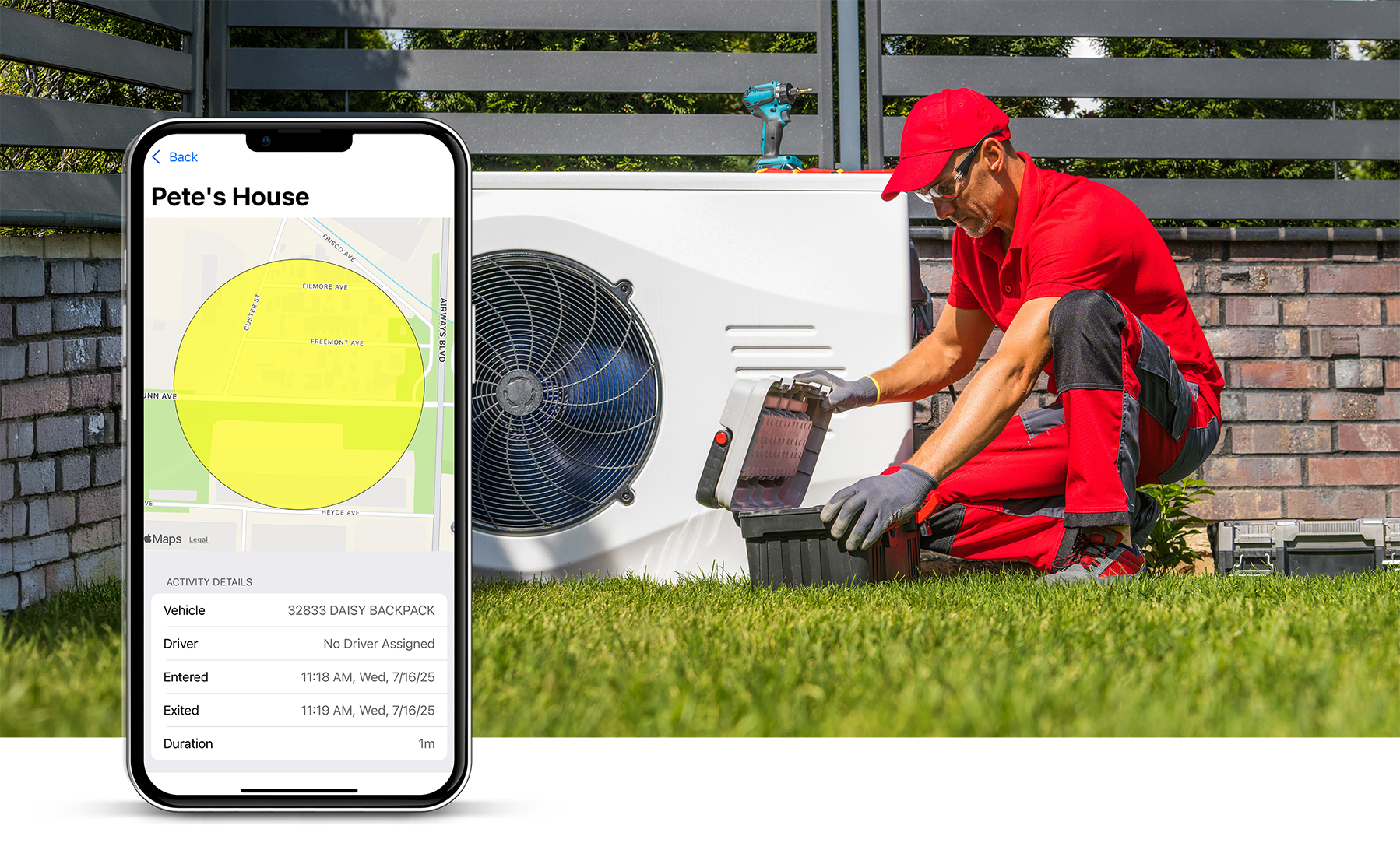
Geofencing is a virtual boundary you set on a digital map that triggers an automatic alert when a GPS-tracked vehicle or asset crosses it. If you've ever set a location reminder on your phone, you've used a basic version of the same idea. For a service business, you draw that boundary around a job site, a supply yard, or your home office — and when a company vehicle enters or leaves, the system logs it automatically.
How Geofencing Works
The GPS unit in your truck is already constantly talking to satellites. Geofencing software uses that real-time location data to trigger an action whenever a vehicle (or even a tagged tool) crosses the GPS coordinates of whatever boundary you draw on the map.
You don't need to be a programmer to set this up. With the Linxup mobile app, you can manage it right from your phone. Look at the map, draw a boundary around a location, and hit save. From there, you decide what alert you want triggered — a text when a crew leaves the warehouse, or an email when a truck arrives at a high-priority customer's property.
How It Helps Your Team
Geofencing gives you better visibility into your day without adding more calls or check-ins. That said, it can feel invasive if you roll it out without context. Walk your team through the benefits before you flip the switch.
- Accurate time cards. Nobody likes sitting in the truck at the end of a long Friday trying to remember exactly when they got to a job on Tuesday. Geofencing logs exact arrival and departure times, which makes payroll more accurate and less of a headache for everyone.
- Proof of service. If a customer claims your team never showed, you have the data to back your crew up. You can show exactly when the truck entered the driveway and when it pulled away.
- Fewer status-check calls. When you can see your team has entered a job site via the Linxup dashboard, you don't have to call them to ask if they made it. Your crew gets to focus on the job without being interrupted.
- Smarter routing. If you see a truck consistently sitting in a fence at a specific intersection or supply house, it helps you spot bottlenecks. Maybe they need a different route, or a specific vendor is slowing them down.
Trade-Specific Examples
Geofencing looks a little different depending on what your team does every day:
- Landscaping and HVAC: Fence your main supply yard. If a crew is supposed to be at a job site by 8:00 AM but hasn't left the yard yet, you'll get an alert. It helps you catch delays before they back up the whole day's schedule.
- Construction: If you leave valuable equipment at a site overnight, set a geofence around it. If that equipment moves outside the boundary at 2:00 AM, Linxup sends an immediate alert to your phone so you can take action.
- Electrical or Plumbing: Draw fences around customers' properties to provide automatic updates, notifying a homeowner that your tech is on the way the second they leave their previous stop.
Setup Tips
Setting up a boundary is straightforward, but these tips will help you get more out of it:
- Size the fence correctly. One of the most common mistakes is drawing the boundary too tightly. If you draw it exactly at the property line, a driver might trigger an exit just by turning the truck around. Add a 50- to 100-foot buffer to avoid false alerts.
- Use custom shapes. Most service businesses don't work in perfect circles. Use polygonal geofencing to trace the actual footprint of a construction site. This prevents a truck driving past on the main road from accidentally triggering an arrival alert.
- Track safety, not just location. You can set conditions within a fence. For example, receive an alert if a driver is speeding within a job site or a high-traffic warehouse zone.
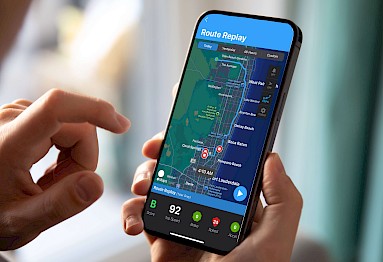
- Avoid alert fatigue. You don't want a notification for every single event. Use Linxup's alert history to review routine stops like gas stations at the end of the day, and save instant mobile alerts for high-stakes boundaries like your equipment yard after hours.
Getting Started: A Simple Checklist
- Identify your hot spots. Start by fencing your main office or yard and your three most active job sites.
- Define the trigger. Decide what happens when a boundary is crossed. For job sites, a time-on-site report usually makes sense. For the yard, an entry/exit alert.
- Review alongside your time cards. Look at your first week of geofence data next to your team's manual time cards to spot any missed stops or discrepancies.
- Review weekly. Use the data to note patterns. If a crew is spending two hours every morning at a specific supply house, it might be time to change your load-out process.
If you want to see how geofencing fits into how you already run jobs, Linxup's team can walk you through a setup built for your type of work. See how it works.
Frequently Asked Questions
What is geofencing in simple terms? Geofencing is a virtual boundary you set on a map around a real-world location. When a GPS-tracked vehicle or asset crosses that boundary, the system triggers an action — an alert, a time log, or a report. For service businesses, it's one of the most practical tools in a fleet tracking setup.
What triggers a geofence alert? A geofence alert is triggered when a GPS-tracked vehicle or asset enters or exits the boundary you've defined. You can also set additional conditions, like alerts that only fire during specific hours or when a vehicle exceeds a speed threshold inside the zone.
Will my crew think I'm spying on them? This is the most common pushback owners hear. The honest answer: transparency matters more than the technology. When you explain that geofencing helps with accurate time cards, proves they showed up when a customer disputes it, and cuts down on the calls asking where they are — most crews come around. It protects them as much as it informs you.
How accurate is geofencing? Most commercial GPS geofencing is accurate within 10-30 feet under normal conditions. That's why sizing your boundary correctly matters. A buffer of 50-100 feet around the actual property line helps account for GPS variance and prevents false entry or exit alerts.
Can geofencing track equipment, not just vehicles? Yes. Asset trackers attached to equipment like generators, trailers, and skid steers can be included in a geofence setup the same way vehicles are. This is particularly useful for construction businesses leaving equipment at job sites overnight.
Does geofencing work in rural areas? GPS coverage is consistent in most rural areas, but cellular connectivity (which transmits the data) can be spotty. Most fleet tracking systems store location data locally and sync when a connection is available, so gaps are minimal in practice.