Modern Fleet Safety Is More Than…
For fleet managers, GPS fleet tracking, dash cams and AI-enabled tools, and telematics are now part of daily…
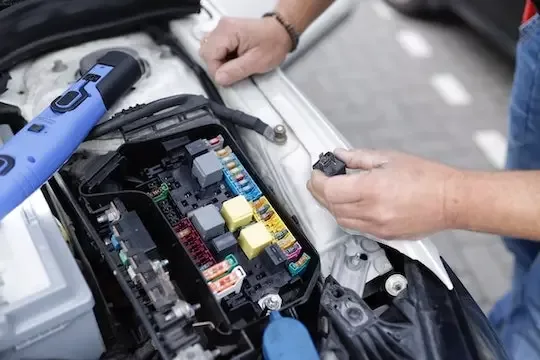

Diagnostic Trouble Codes (DTCs) are codes that are stored by the onboard computer diagnostic system.
These fault codes identify vehicle malfunctions. You can read them by connecting a code reader or scanner to the vehicle's OBD-II port, a 16-pin connector found under the driver's side dashboard.
They are essential for everyone with a car, especially if you manage commercial vehicles.
DTC codes were first used in the early 1980s for light- and medium-duty vehicles and were used only by manufacturers to indicate vehicle problems. In 1996, the Society of Automotive Engineers (SAE) created a standard for all manufacturers to use so that any code reader or scanner could read the codes.
Since 1996, all cars and light trucks sold in the United States have been required to be OBD-II equipped—a system that monitors your vehicle's performance and alerts you to any problems.
Diagnostic troubleshooting codes are necessary because they help indicate where a problem is occurring in your vehicle. By reading the code, you can often narrow down the issue and save time and money on repairs.
The Society of Automotive Engineers (SAE) standard J2012 defines five digits for use in On-Board Diagnostics (OBD). The first digit indicates the system where the code was stored, while the second indicates the specific problem.
DTC Code numbers are composed of letters and numbers. The first letter indicates the system where the code was stored, while the second indicates the specific problem.
If your vehicle displays an error code, it's essential to understand what it means. These codes can help you determine the root cause of the problem.
The standardized codes are common among all car manufacturers, meaning a P0300 code on a Chevy indicates the same problem as it does on a GMC, Ford, or Toyota.
When your vehicle’s computer detects a fault, it doesn’t simply trigger a warning and forget it. It records the Diagnostic Trouble Code (DTC) in onboard memory, building a running history of issues—both current and prior.
Treat this record like a maintenance file: each stored code document describes what the vehicle experienced and when it occurred. Access to DTC history makes it easier to spot repeat failures, confirm whether a repair honestly solved the problem, and identify issues that warrant follow-up.
This history is especially valuable for preventive maintenance planning. If the system repeatedly logs the same oxygen sensor or wheel speed sensor code, that’s a strong indicator the component is deteriorating or the root cause hasn’t been resolved—making a targeted inspection or early replacement the more brilliant move.
For fleet managers, DTC history supports proactive repair scheduling before minor faults become roadside failures, reducing unplanned downtime and avoiding higher-cost breakdowns. For individual owners, reviewing stored codes ensures you’re not just clearing a warning light—you’re correcting the underlying issue and making maintenance decisions based on evidence, not guesswork.
There are five main types of codes that you will find in a vehicle:
The following is a list of some common codes in vehicles and their meanings:
To begin diagnosing issues with your vehicle, it is essential to obtain a code reader or scanner that is specifically compatible with your vehicle’s OBD-II system. This device is crucial for accessing diagnostic information.
After you have acquired the code reader or scanner, the next step is to connect it to your car's OBD-II port. This port is usually located underneath the dashboard, near the driver’s seat. Once you have securely plugged in the device, you will need to turn on the car's ignition without starting the engine.
By doing this, you enable the code reader or scanner to communicate with the vehicle's onboard computer system. Subsequently, the code reader will display the Diagnostic Trouble Code (DTC) readings, along with any pertinent diagnostic codes that may indicate existing issues within the vehicle. This information will be invaluable in understanding what may be malfunctioning or requires attention.
In a Diagnostic Trouble Code (DTC), the fourth and fifth characters—the final two digits—identify the Specific Fault Index. This segment defines the exact failure mode detected within the referenced system or component, moving the code from a general category to a precise, actionable diagnosis.
For example, in P0171, the “71” specifies the particular condition associated with that code (commonly “System Too Lean”), directing a technician to the exact type of malfunction so troubleshooting and repairs can focus on the real source of the issue.
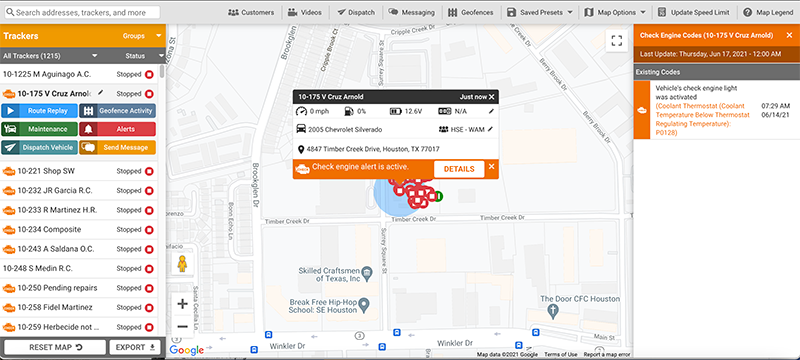
While a scan tool does the job, if you manage a fleet of vehicles, installing GPS trackers is a better way to actively troubleshoot diagnostic codes across all your vehicles. In addition to tracking the location and status of your vehicles, a GPS tracker can alert you when check engine lights happen so you can make decisions right away.
Additionally, a GPS tracker will allow you to view historical DTC code data, enabling you to track trends and patterns across your entire fleet. This can be helpful in preventative maintenance and troubleshooting. Plus, you can assess the severity of an issue and better determine if rushing to a mechanic is necessary for a particular check engine light.
Understanding DTC Severity Levels
Not all DTCs are created equal—some codes even include severity ratings or offer repair recommendations. For example:
P0215 – Indicates a powertrain issue, specifically a malfunction in the engine shutoff solenoid circuit.
P0462 – Points to an emission control problem in the fuel-level sensor, with a severity rating of 2 out of 3. This means immediate repair is recommended.
P0650 – Signals a malfunction in the check engine light control circuit, which could impact your ability to detect other issues promptly.
Recognizing whether a code is urgent or can wait helps prioritize repairs and keep your fleet running efficiently. By leveraging both real-time alerts and historical data, you gain a clearer picture of which vehicles need immediate attention versus those that can be scheduled for routine maintenance.
When you receive a DTC, or Diagnostic Trouble Code, the initial action you should take is to compare that code with a list of standard codes that are commonly used. This list is often available in the vehicle's manual or online. If you do not find the code on that list, it may be helpful to search online for more information about that specific code. Many automotive forums and resources can help you understand what the code means.
After you have successfully identified the meaning of the DTC, you can proceed to take appropriate measures to address the underlying issue. In some instances, resolving the problem may be as straightforward as resetting the code using a scan tool, which would clear the warning from your vehicle's system. However, there are other situations where the problem is more complex, and it may require you to bring your vehicle to a qualified mechanic who can provide specialized repairs to fix the issue effectively.
Diagnostic Trouble Codes, commonly referred to as DTC codes, can be an incredibly useful resource for effectively managing the maintenance of your fleet of vehicles. By maintaining a consistent record of each vehicle's diagnostic history, you can efficiently pinpoint any problems affecting specific vehicles in your fleet. Once these issues are identified, you can take prompt, appropriate action to address and resolve them.
Additionally, using the data these codes provide allows you not only to respond to current problems but also to prevent future issues proactively. By carefully monitoring trends and patterns in the DTC codes, you can gain insights to anticipate and mitigate potential maintenance concerns before they arise.
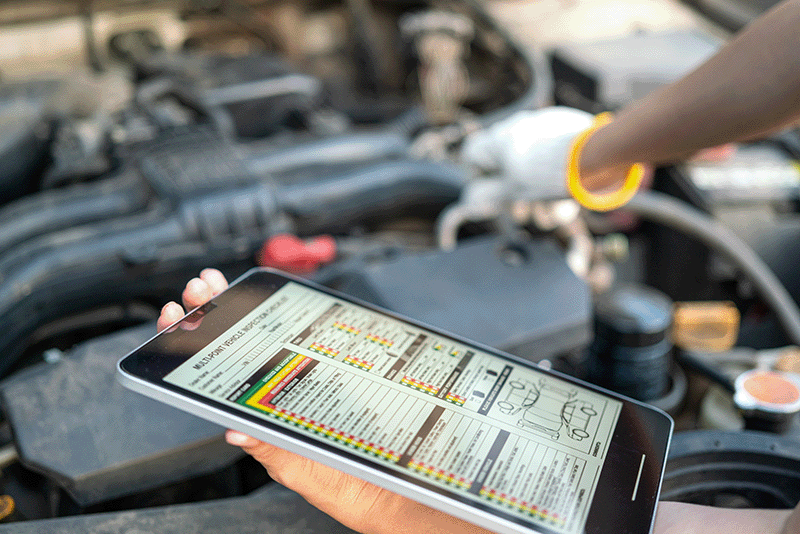
Diagnostic Trouble Codes — often called DTCs — are alerts from your vehicle’s onboard computer (ECU). They indicate that a specific system or sensor is not working as expected. DTCs are what trigger the Check Engine Light, helping technicians and fleet managers quickly pinpoint the problem.
Every DTC code has five characters:
Letter: System type (P = Powertrain, B = Body, C = Chassis, U = Network)
Digit 2: 0 = Generic (standardized), 1 = Manufacturer-specific
Digits 3–5: The subsystem and fault type
For example, P0171 means “System Too Lean (Bank 1).
Let’s break down what each character means:
First Character: System Type
The first character is a letter that indicates which main system is affected:
P — Powertrain: Issues related to the engine, transmission, or drivetrain.
C — Chassis: Covers components like steering, suspension, and brakes.
B — Body: Refers to safety and comfort systems inside the vehicle (like airbags or climate controls).
U — Network: Deals with network communication and vehicle integration systems.
Second Character: Code Type
This digit tells you whether the code is standard or unique:
0 — Generic code, standardized across all OBD-II vehicles.
1 — Manufacturer-specific code, unique to a particular vehicle brand.
Third Character: Subsystem
The third digit points to the specific subsystem at fault, especially when the second digit is “0” (generic code):
0 — Fuel and air metering, auxiliary emission controls
1 — Fuel and air metering
2 — Fuel and air metering (injector circuit)
3 — Ignition system or misfire
4 — Emission controls
5 — Vehicle speed control and idle control systems
6 — Computer output circuit
7 — Transmission
If the second digit is “1” (manufacturer-specific), the third digit’s meaning can vary, and checking with the manufacturer’s documentation is recommended.
4 & 5. Fourth and Fifth Characters: Specific Fault Index
These final two digits narrow down the code to the exact fault detected by the system—for example, a particular sensor or operational range.
By breaking down the DTC in this way, you can quickly identify not only where a problem has occurred, but also the nature of the issue—making diagnosis and repair more efficient for both technicians and fleet managers.
Generic codes (SAE codes) are the same for all vehicles.
Manufacturer-specific codes are unique to brands like Ford, GM, or Toyota and point to specialized components or modules.
What’s the difference between OBD-I and OBD-II systems?
A DTC appears when a vehicle sensor detects data outside normal operating limits — such as low voltage, poor airflow, or a fuel mixture issue. Common causes include:
Pending codes may clear on their own if the fault doesn’t recur.
Yes — most OBD-II scanners or fleet telematics platforms can clear codes. However, the underlying issue must be fixed first; otherwise, the code will return after a few drive cycles.
Permanent (or “hard”) codes can’t be manually erased. They are stored in the ECU until the system verifies the issue has been repaired and the vehicle passes its internal self-tests.
DTCs apply across several systems:
Not necessarily. Some codes appear from temporary conditions, like:
If a code reappears, it likely signals a real mechanical or electrical issue.
Yes. Any active DTC related to emissions — or a lit Check Engine Light — will typically result in a failed emissions inspection.
Fleet tracking systems like Linxup automatically capture DTC alerts from every connected vehicle. Managers can:
By combining DTC monitoring with GPS tracking, fleets stay safer, more efficient, and more compliant.
Personal vehicles: When the Check Engine Light comes on or during regular service.
Fleet vehicles: Continuously — or at least weekly — through telematics platforms to catch minor issues before they become big ones.
For quick reference, use a reputable DTC database such as:
Or check your vehicle manufacturer’s service manual for brand-specific codes.
With Linxup Diagnostic Trouble Code Monitoring, you will be alerted to check engine lights when they happen and find the information you need to make maintenance decisions.